My Adventures with Meshtastic/MeshCore (so far)
YouTube has gotten me into another niche tech thing…
I was watching a Youtube video about how Iran started up a new numbers station since the new war started, and how it got jammed on its original frequency and was moving to another one. It’s wild that Iran is falling back to old tech and the US and Israel just can’t handle it, but that’s not what this post is about.
After seeing the video, Youtube suggested another of the channel’s video, which was titled The Idiots Guide To Meshtastic – Long Range Comms! “Hey, I’m an idiot,” I thought “long range comms in a little handheld device could be cool!” I’ve always been curious about radio communication even though my knowledge level is very low, and my enthusiasm about having to mount gear on giant poles outside is even lower. Short wave seems to require that type of outside gear, but watching this video, that didn’t seem the case for Meshtastic. Off to Kagi I went to find an Aussie store that sold this gear.
I ended up at IoT Store, a Perth-based place that had a Meshtastic area in their online shop. After some random browsing and reading, I ended up getting a WisMesh Pocket V2 Meshtastic Device, and on impulse I threw in a LoRa Antenna Kit to increase my range. I was again pleasantly surprised that increasing my range didn’t involve adding something I had to post outside and figure out how to run electricity to (I rent).
A few days later the gear arrived, so time to go!
Meshtastic
I’m not going to review the device itself. It uses a WisBlock RAK4631 chip, which seems pretty common and effective for this purpose, and the device seems to work fine. It has an on/off switch, and a single button you can use for browsing menus (long pressing to select stuff). The Meshtastic firmware was a bit out of date, but connecting to the device over USB using the web-based flasher in a chrome-based browser worked fine.
I jumped on using the Meshtastic app on my Android phone, hoping to see it start to pick up nearby nodes, and……. nothing.
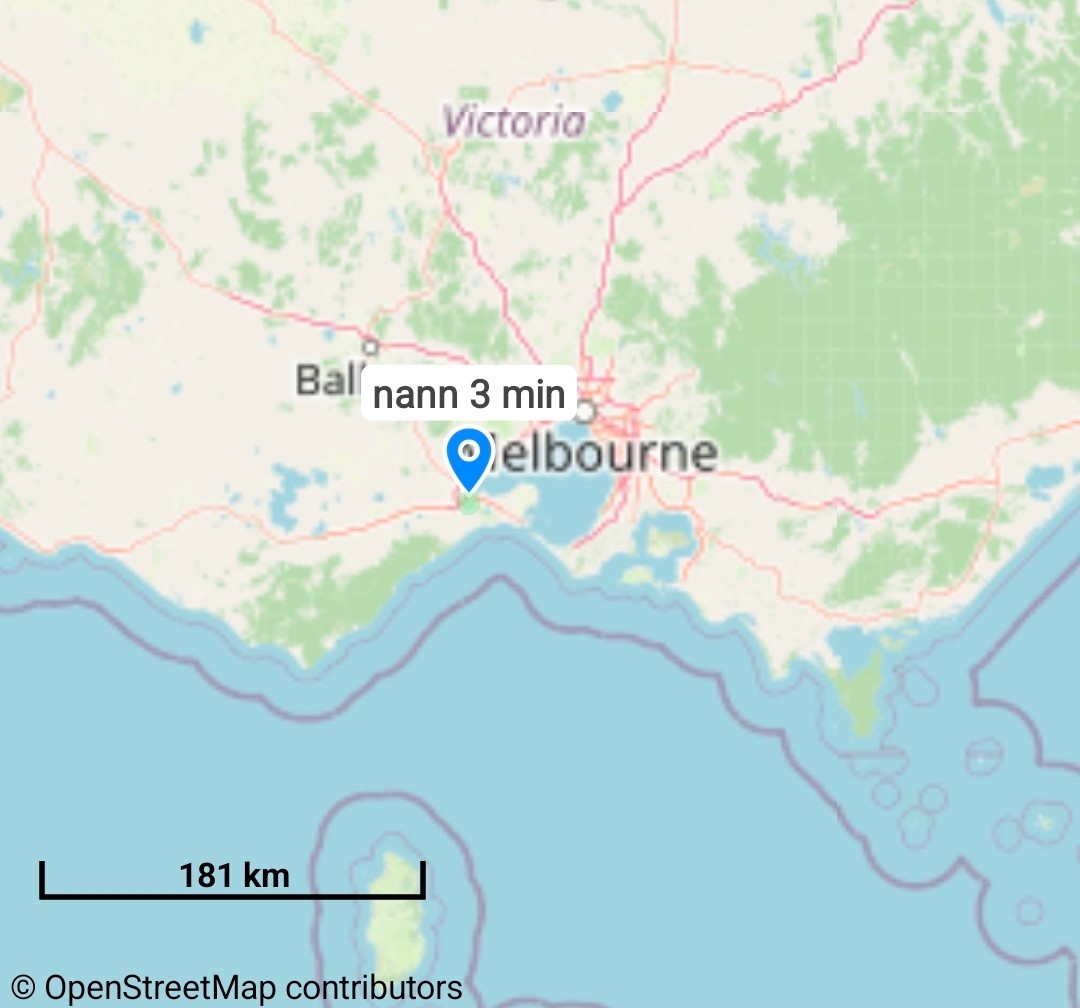
I was looking at most of the state and there were no nodes. Uh oh.. maybe I should have done some more investigation before buying.
I posted on Mastodon, and some very helpful people told me that I may have to let it run overnight to see if it picks up any nodes, but also Meshtastic wasn’t great at scaling, and that most people in Victoria (my state in Australia) had moved to MeshCore. Luckily, Meshtastic and MeshCore use the same gear and the same frequencies, so my Meshtastic device should be able to get onto the MeshCore network with some extra work.
I let Meshtastic run on my device for 3-4 days, and it found no one. It’s possible I would have found Meshtastic nodes if I had put something up outside to give better range/etc, but that’s exactly what I wanted to avoid. Time to try MeshCore…
MeshCore
Using the same sort of flashing method, but using the MeshCore flasher website instead, I was able to get the firmware installed. It is *slightly* less noob-friendly (at least to me), and I spent some time trying to figure out why my phone wasn’t able to connect to the new MeshCore-firmware-flashed device. It turns out in the flashing process you have to choose “Companion Bluetooth” to enable the bluetooth radio on the device. I was choosing “Companion USB” as I was flashing via USB, but that wasn’t the way to do it. After that, I was able to connect to it on my phone using the MeshCore app.
A kind person on Mastodon had already told me that Victoria MeshCore people use the “Australia (Narrow)” radio settings to communicate, so I was able to set that:
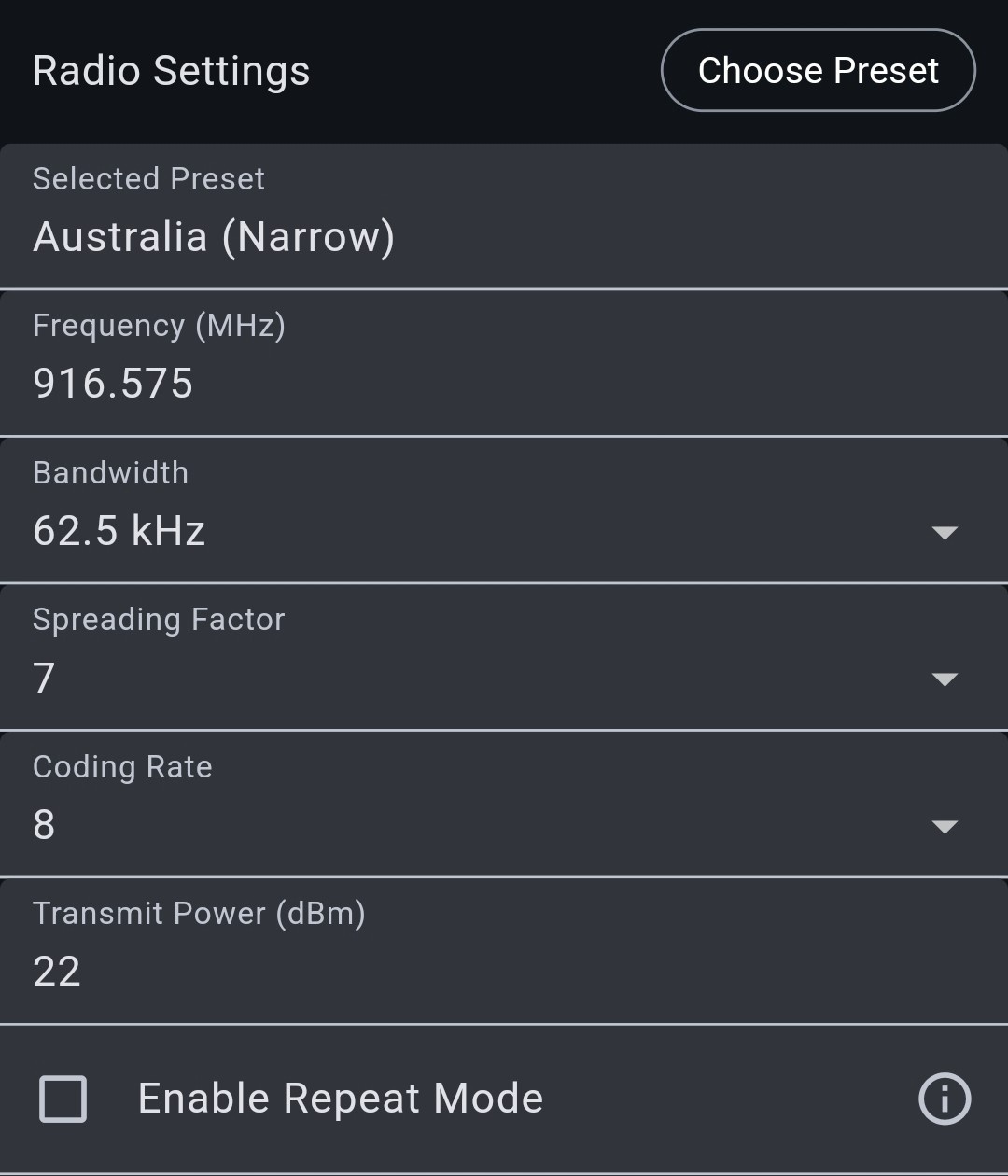
I saved my settings and checked the map anddddddddd.. nothing. uh oh.
I was more confident this time, though. I *knew* the people were out there, and that Victoria had a good MeshCore network (thanks again Mastodon people). Potentially I had to put something up outside (ugh), but first I had a new app to click random buttons in to see if I could get anything.
At the top of the app is a radio icon. I hit that and had the option of “Advert – Zero Hop” and “Advert – Flood Routed”. Just by the names, zero hop seemed to be contacting everyone close to me, and so I guessed that meant Flood Routed meant it would push everywhere. I did Zero Hop first, and after about 5-10 seconds, saw nothing, so I try Flood Routed… then I tried Flood Routed again 30 seconds later.. and.. I started getting notifications of nodes that were being discovered! It was working!
Oddly, and I have no idea how this works, it was discovering nodes around Albury/Wodonga and one on the other side of Melbourne. Weird. But it was working.. and someone had posted to the public chat! I could see that! I tried to send a message asking for someone to confirm they could see me, but got no response. Damn.
I went to bed for the night. When I woke up the next morning and went back to the app, I was seeing over 100 nodes!
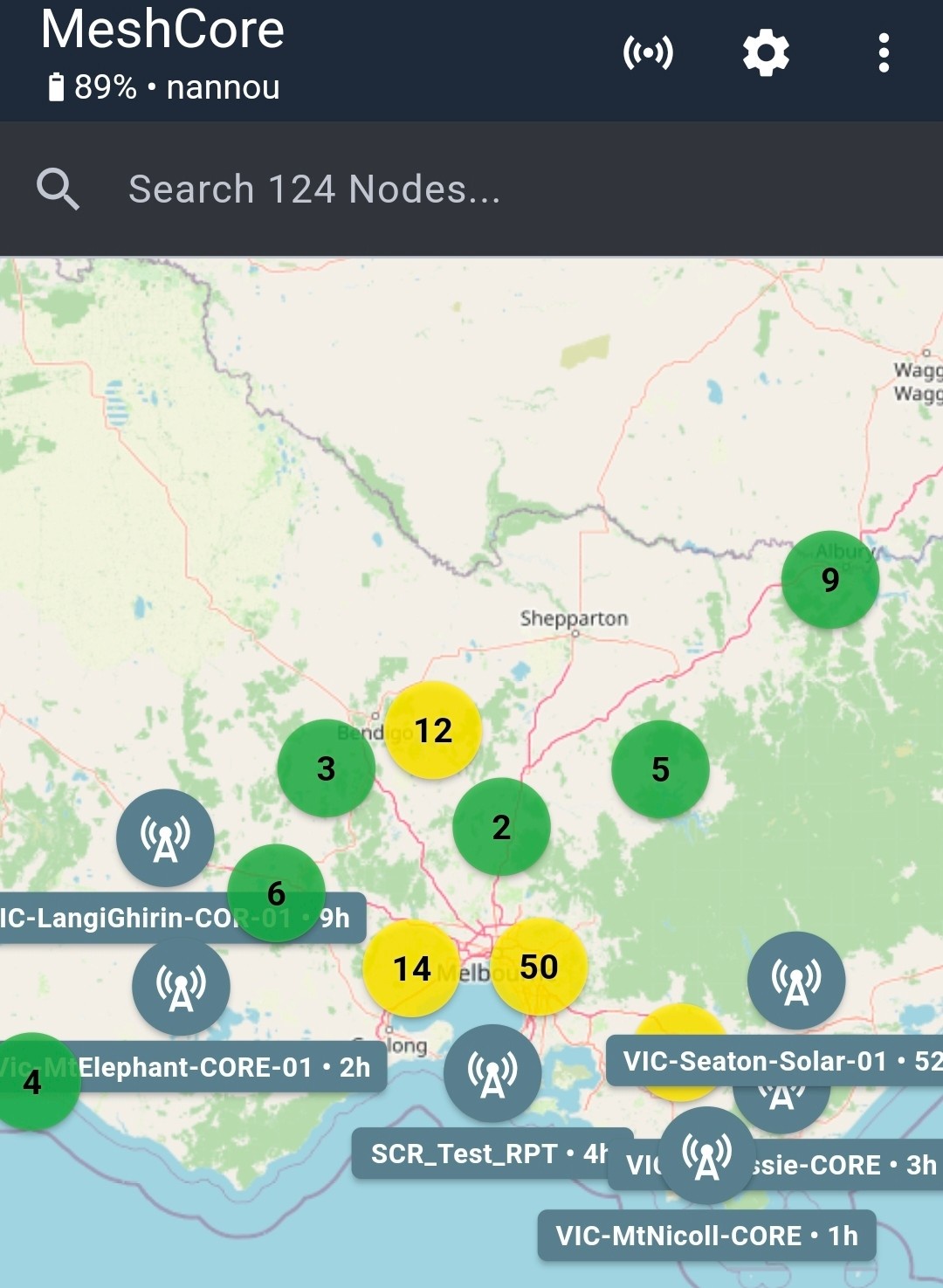
This was great! And there were overnight chats in the public channel! All this was happening after about 9 hours of being on. I was stoked.
I sent another message to the chat asking for confirmation. After sending this, I noticed instead of saying “Sent” under the message, it said “Heard 1 Repeat”. This clued me in that the chat client in the app shows stuff is actually sent if I hear it repeated back to me at least once. When it says “Sent” and doesn’t update to “Heard # Repeat(s)”, it means the message didn’t make it out. Good to know.
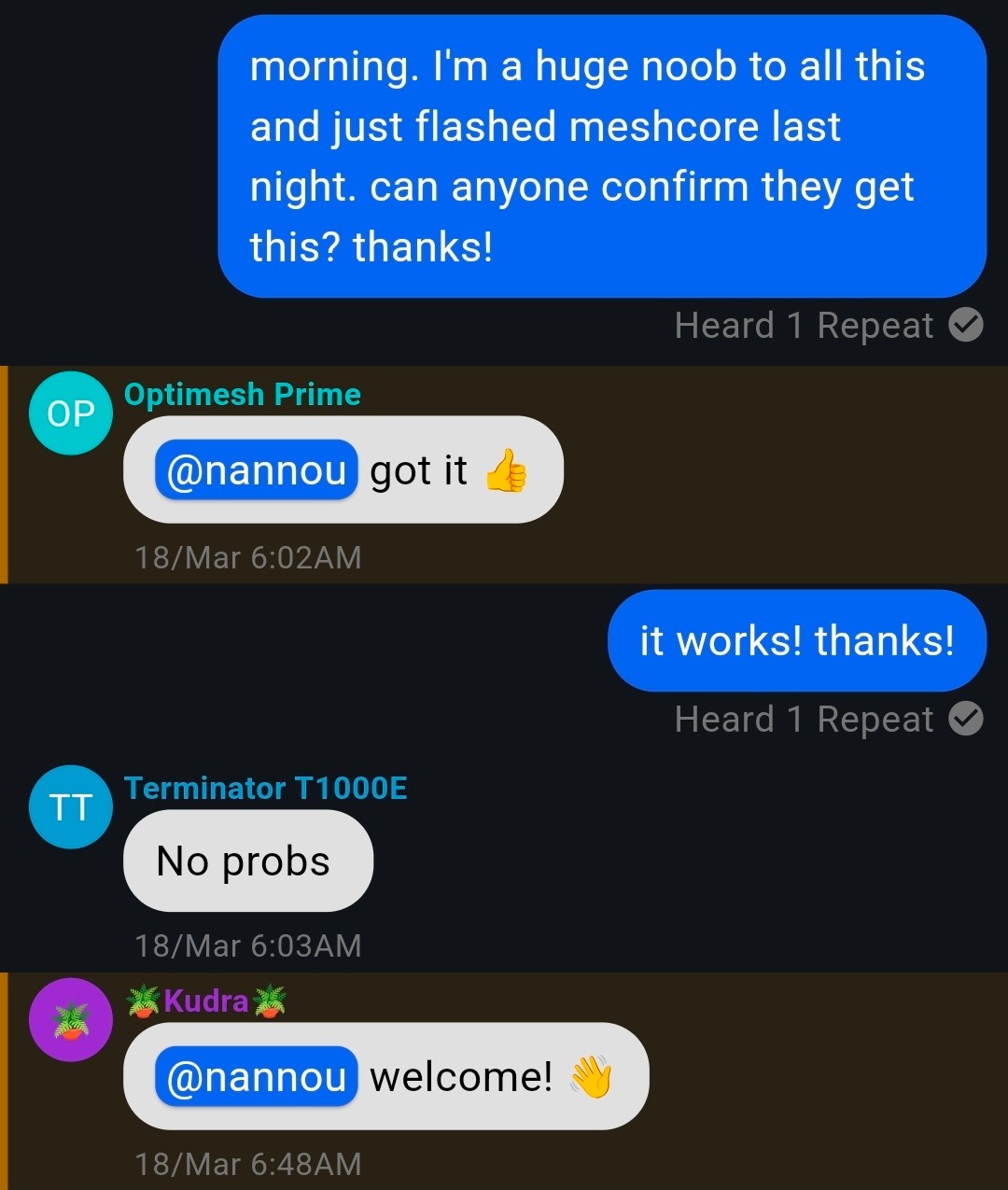
I can explain the early timestamps: I have a cat that likes to wake me up around 5-5:30 in the morning.
Anyway, this was great news. I left it and started my day, and checked in later in the afternoon. I had (literally) hundreds of new nodes listed!
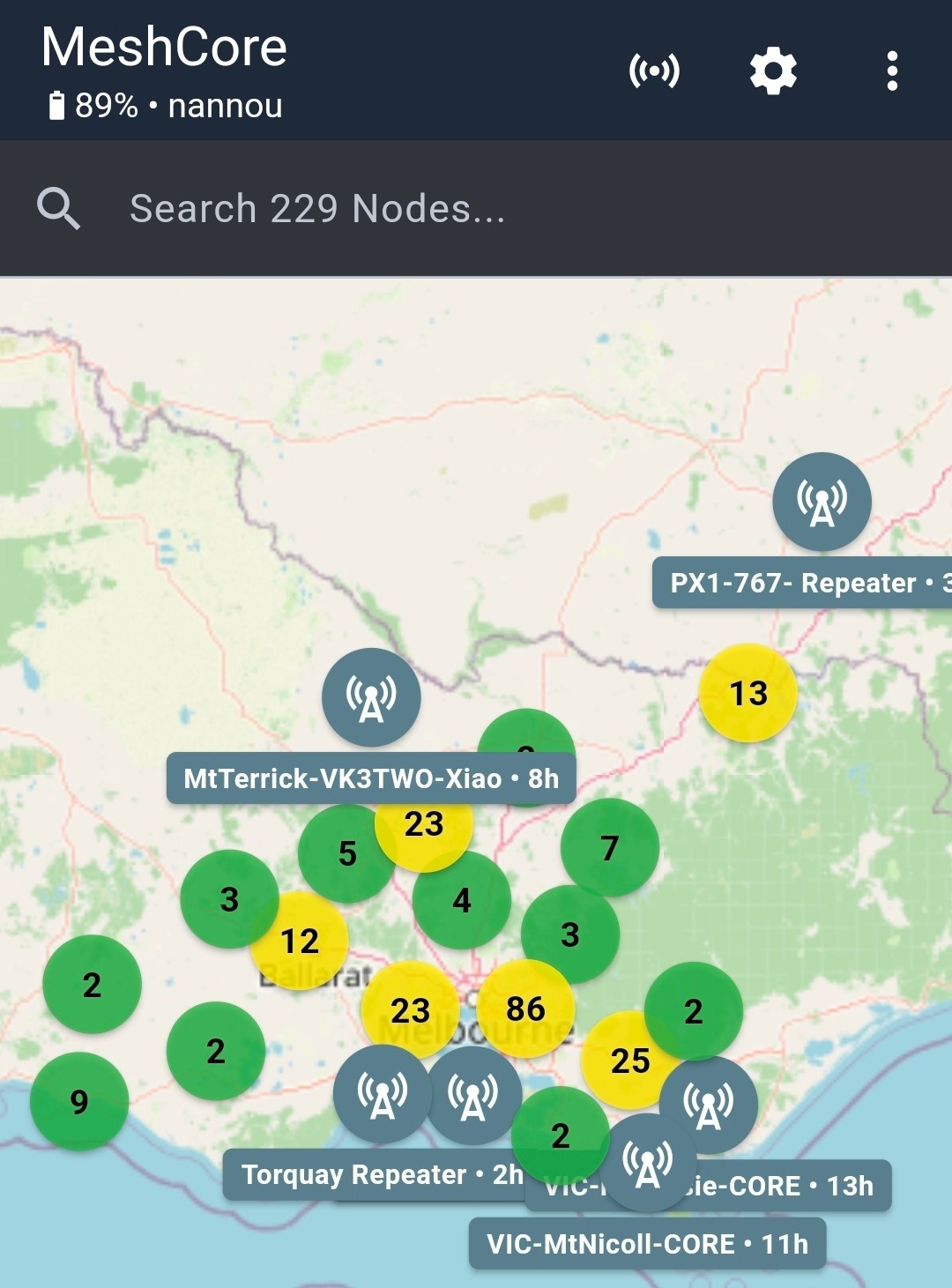
There was even a repeater in NSW that I had seen (not directly, but through the network).
It’s now been a couple days and I have maxed out my contacts (nodes) list. The device can only hold 350 nodes, and by default it will add every node that is mentioned on the network. Maxing it out in a couple days is huge! I have ticked an option that cycles out the oldest seen nodes to add the new ones, so I think my list will stay at 350 contacts now.
What’s Next / Annoyances
The public chat is a mix of people testing and people chatting about life or whatever. Yesterday a person visiting Melbourne from Denver, CO, USA hopped on and said g’day. They had brought their MeshCore device down with them. They said Denver is just starting to build its MeshCore network and they liked how popular ours was.
I have found that I get about a 33% success rate of my messages actually making it out to a repeater on the first try. Thankfully the app has the option to long-press the message and say “Send Again”, to let it try and send out again. After a couple tries, it generally makes it out. That was annoying me, so… I’m somewhat doing what I didn’t want to do: I’m buying something to put outside.
As was pointed out to me in the chat, part of the fun of MeshCore (and similar) is building your own devices with the different radio boards/whatever, but for this purchase, I went for another pre-built thing so I can be sure it’s not my terrible soldering if it doesn’t work. I purchased a SenseCAP Solar Node P1 Pro, which I plan to flash with MeshCore in repeater mode. Then I plan to put it somewhere outside, and hope the solar is enough that I don’t have to try and run power to it. I am well aware that higher/line of site is better, but I still don’t want to mount a pole to my roof, so I’m planning just to set it somewhere outside, maybe just on my roof, or hanging off it somewhere. We’ll see, but I’m hopeful that extra little access of being outside (instead of my bedroom where the WisBlock is right now) will give me clear access to the multiple repeaters that around me, and I won’t need the height.
Conclusion
I think it’s extremely cool that this invisible network exists and there’s a large group dedicated to helping everyone communicate, either doing it for fun hobby reasons, or “real” reasons. One of the things pushed with Meshtastic/MeshCore is it can be used on rural sites when hiking/on farms/etc where signal won’t reach, and I’m sure it works great for that. It’s sweet this exists and is being run across Victoria’s suburb wasteland around Melbourne, as well as across the state as a whole. I am excited to see how well my external repeater helps my message sending, as well as feeling good that I might be helping out others in my immediate area (1km around me, after that they’ll be closer to another repeater around here) that are on the network (if any). I’m also looking forward to learning about setting up the repeater itself. It scratches that nerd itch.
Things are weird right now in the world, and the Internet is being enshittified more every day. Here’s something that’s pure, done by people for the love of it. It’s great.